
Hướng dẫn thay đổi hình thức nhận bib
(ENGLISH BELOW)
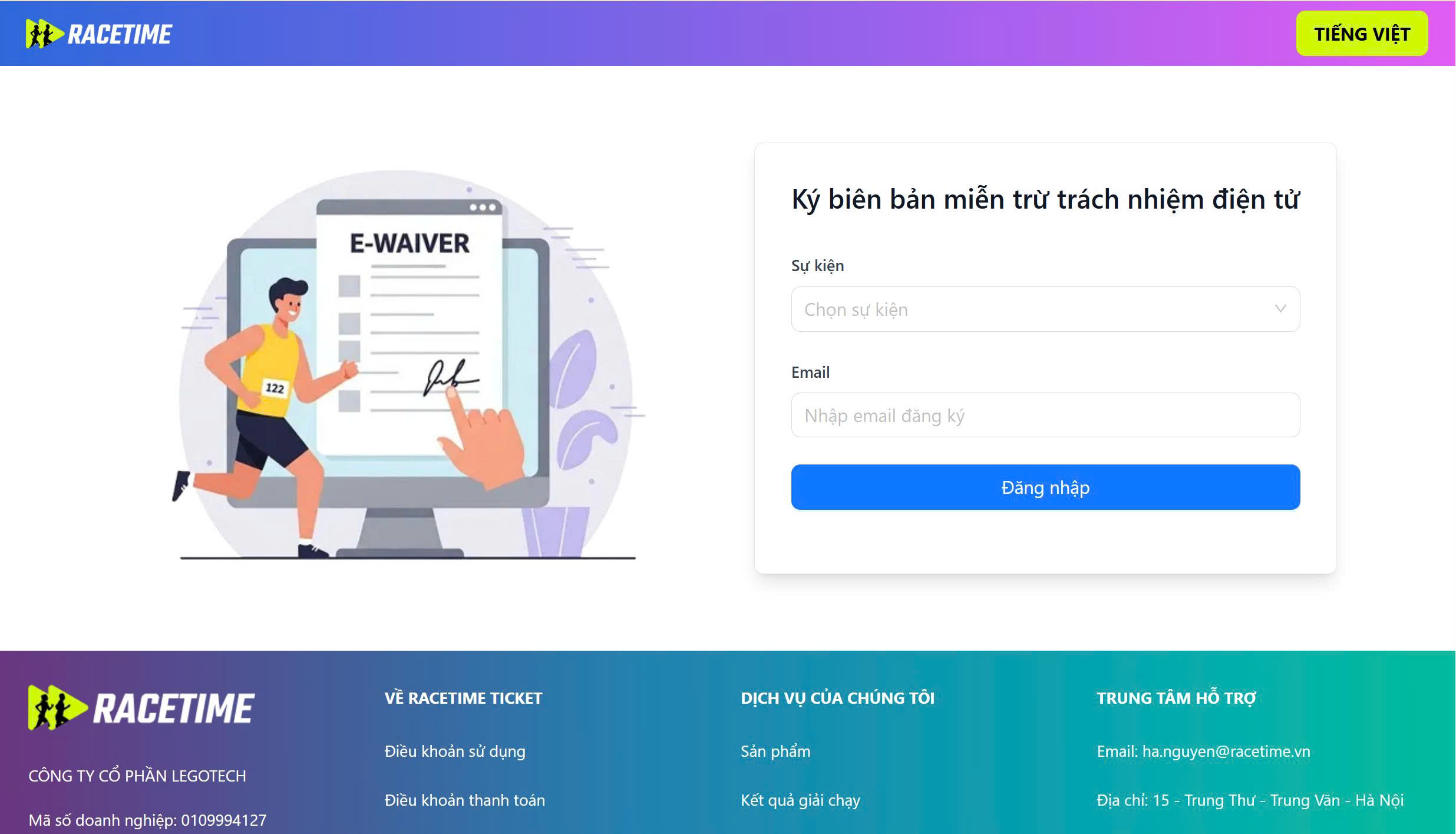
Bước 1: Truy cập vào link “https://ewaiver.racetime.vn”
Chọn sự kiện, nhập email đã đăng ký và nhấn "Đăng nhập"
Mã OTP sẽ được gửi về Email của tôi đã đăng ký sự kiện trong ít phút.
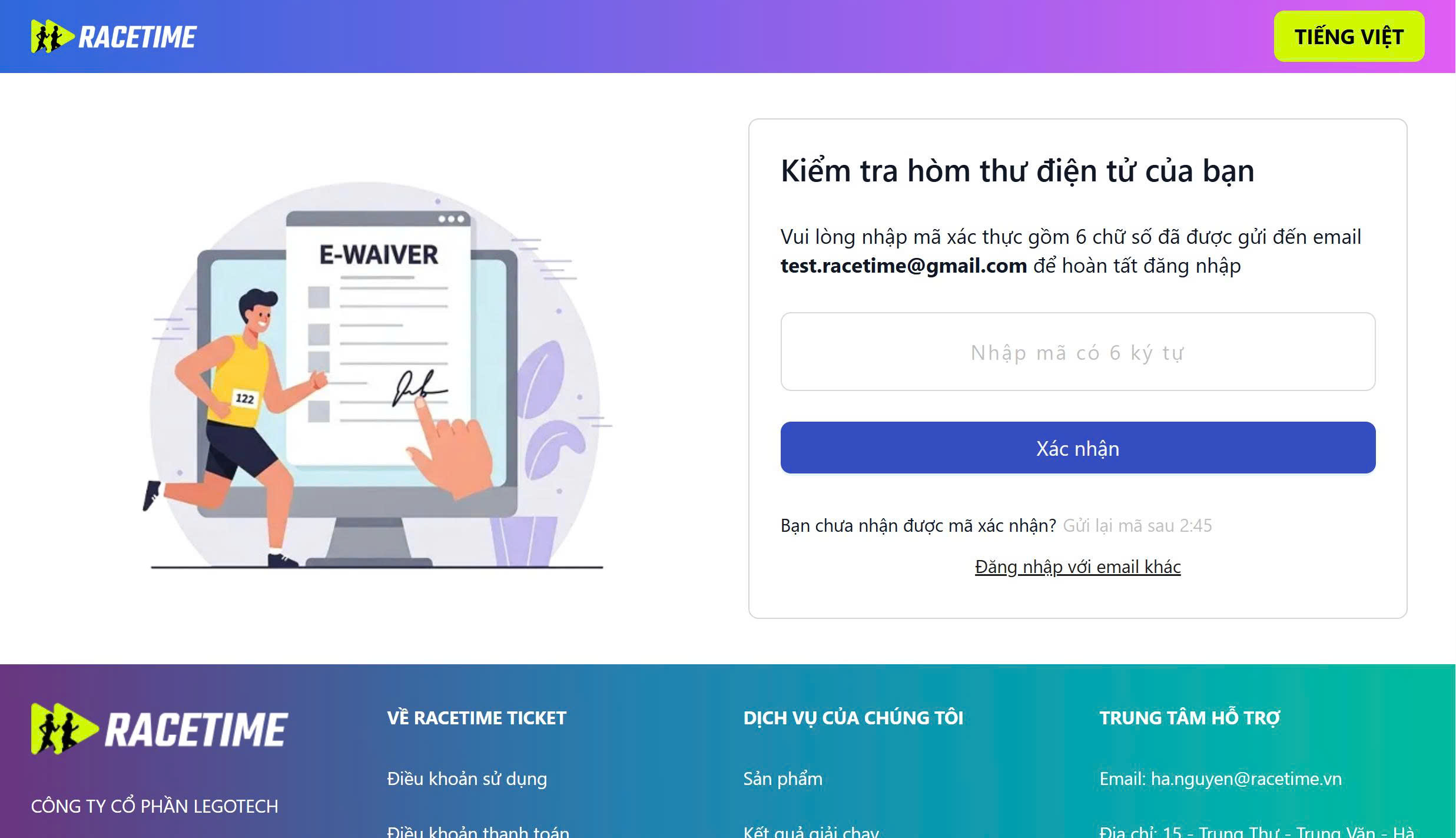
Bước 2: Kiểm tra email, nhập mã OTP đã nhận lên hệ thống và bấm "Xác nhận"
Lưu ý:Mã OTP có hiệu lực trong 5 phút, sau 5 phút nếu chưa xác thực OTP, bạn có thể bấm "Gửi lại" để nhận mã OTP mới.
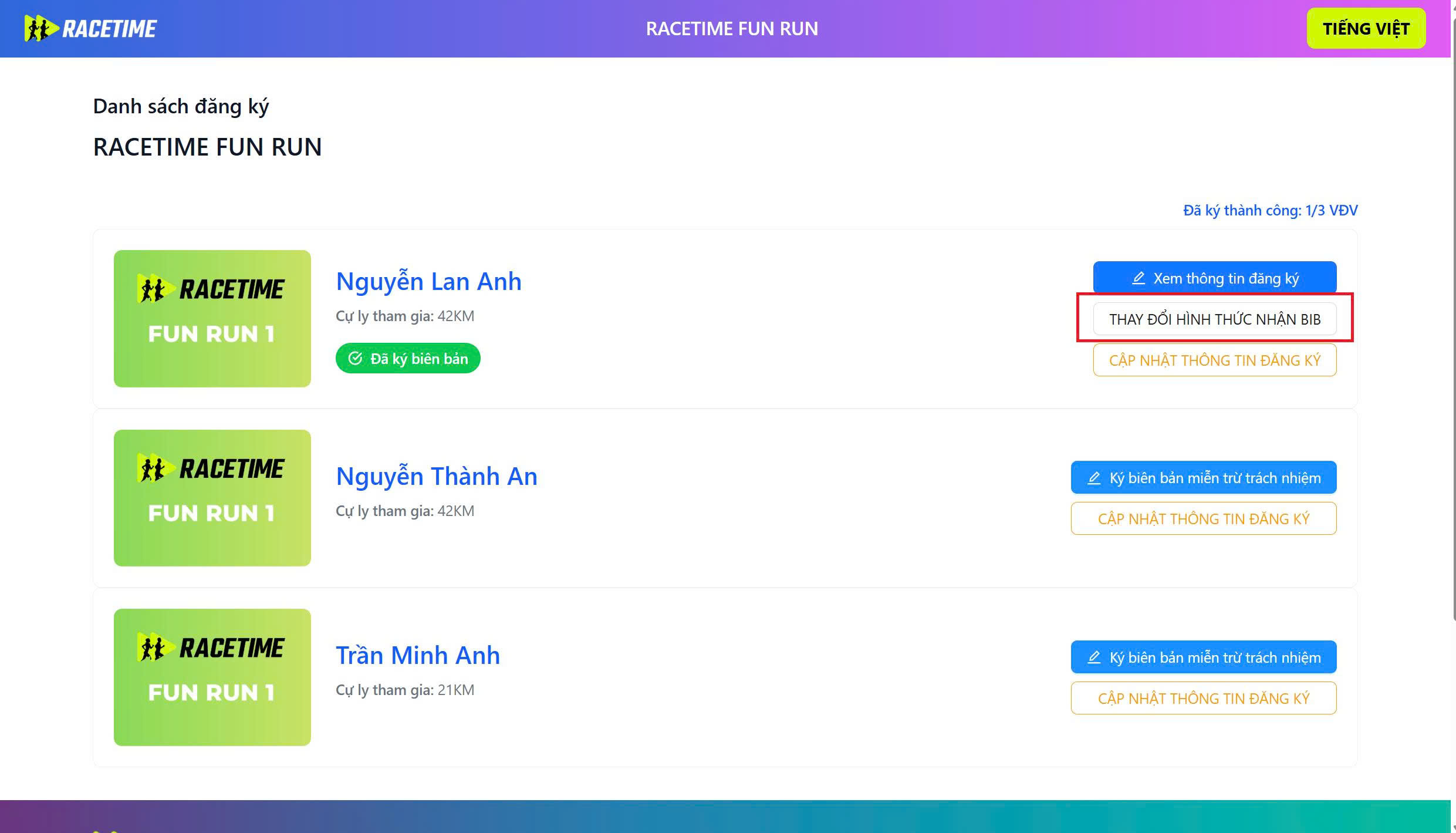
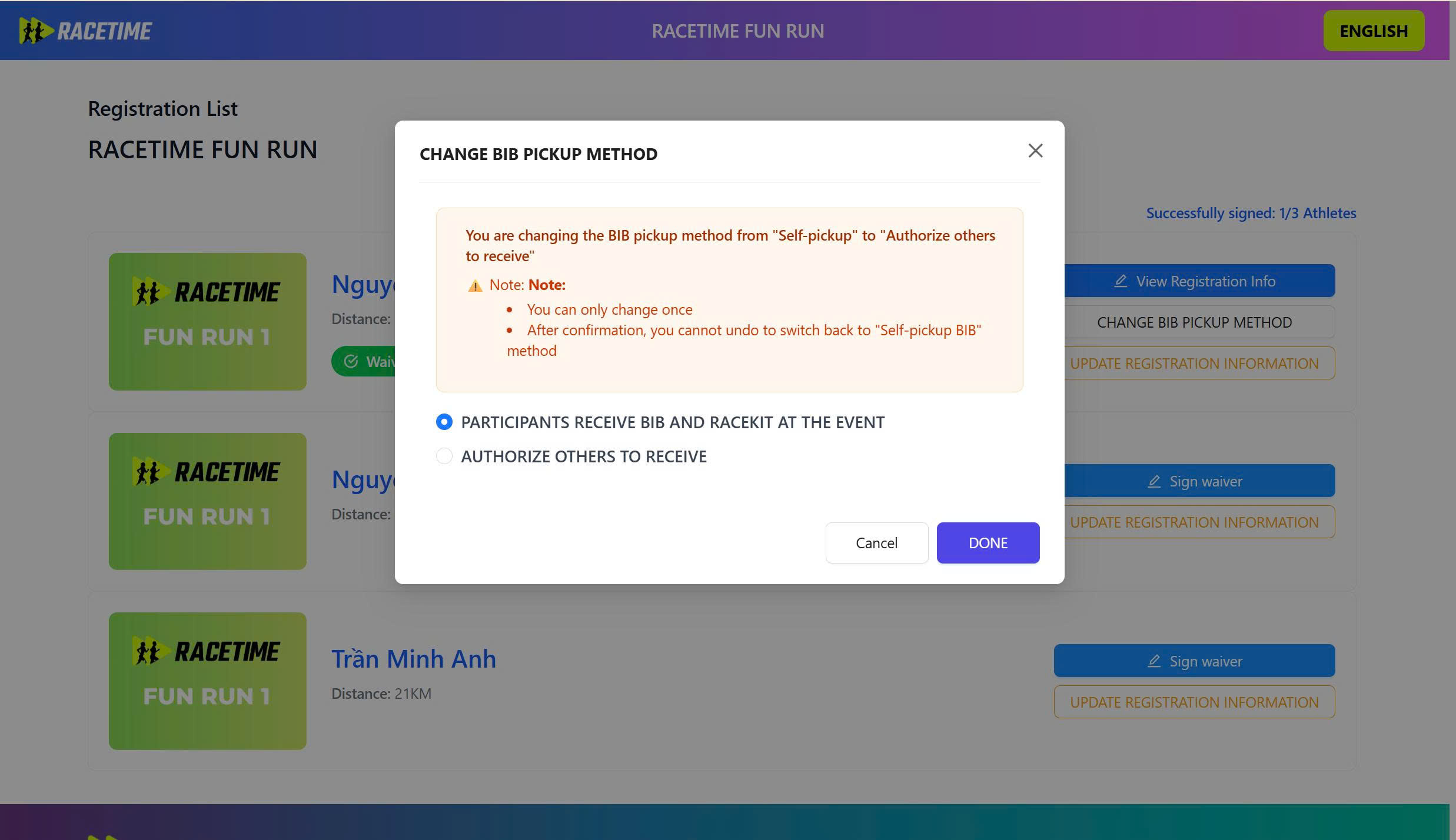
Bước 3: Sau khi đăng nhập thành công hệ thống hiển thị danh sách vé đã đăng ký Bấm chọn “THAY ĐỔI HÌNH THỨC NHẬN BIB”, hệ thống hiển thị màn hình popup cho phép thay đổi hình thức nhận bib
(Trường hợp một email đăng ký nhiều vé trong sự kiện thì màn hình sẽ hiển thị số lượng vé tương ứng)
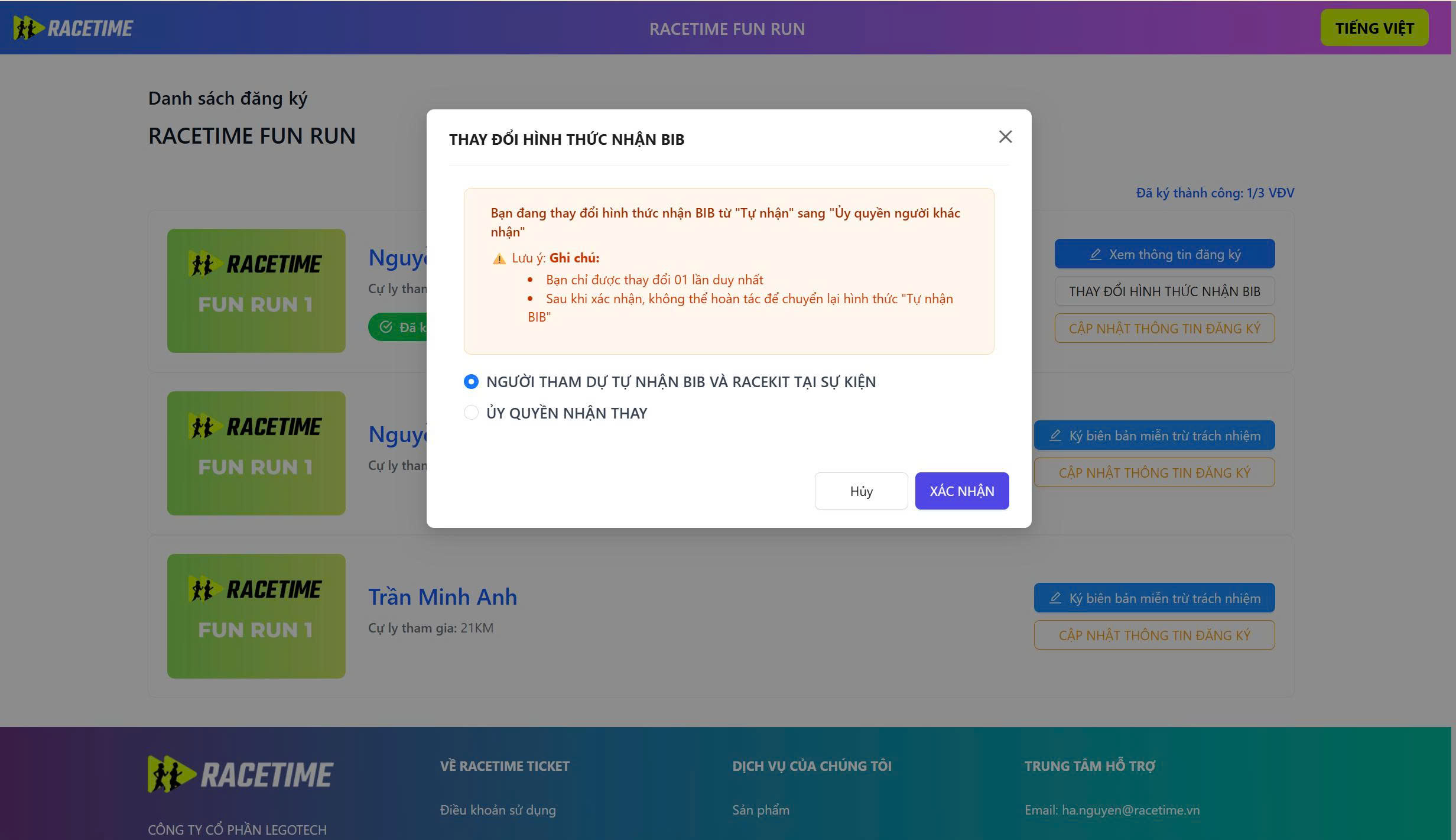
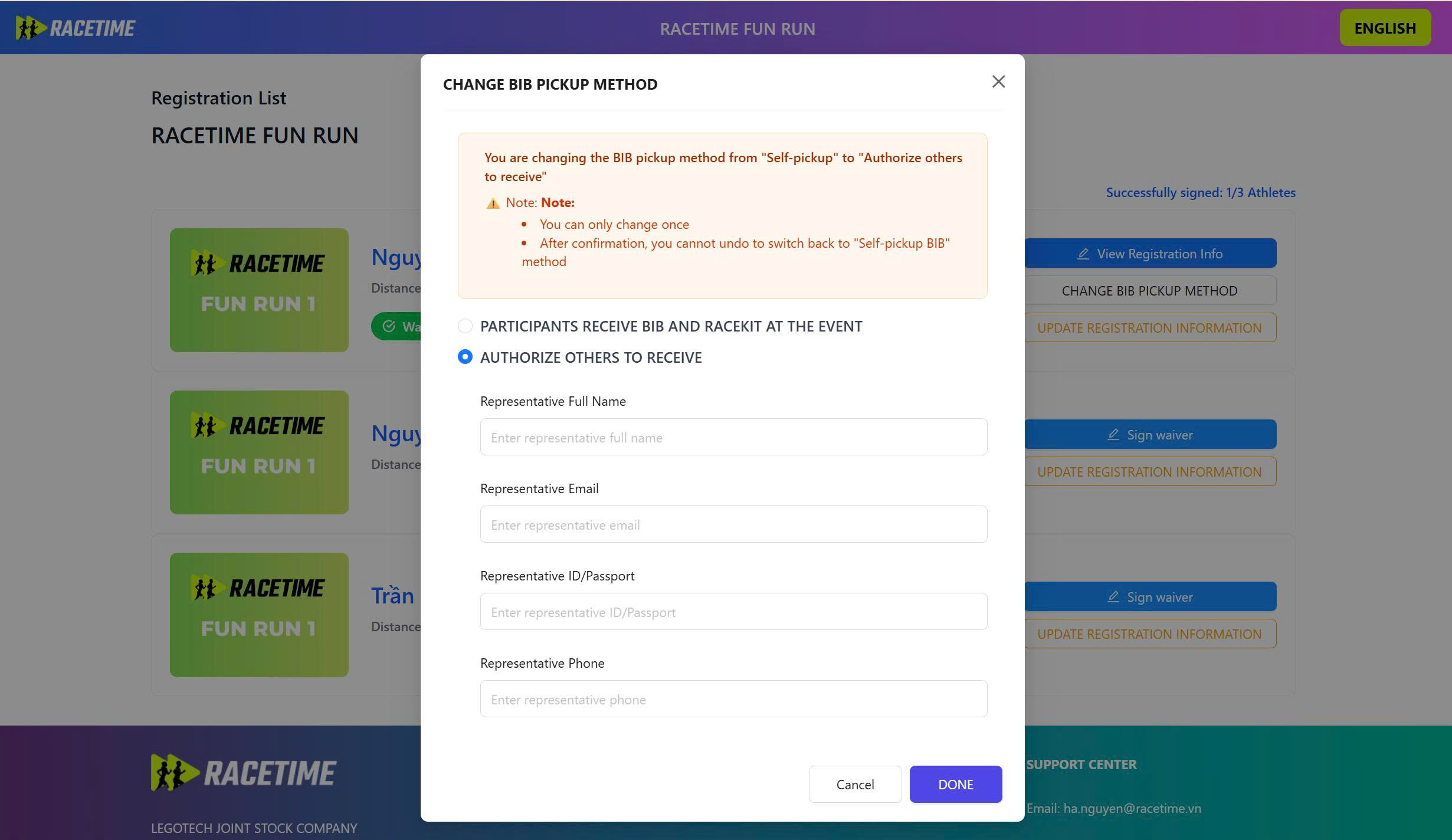
Bước 4: Trên màn hình popup, bấm chọn"Ủy quyền nhận thay"
Sau đó nhập thông tin người được ủy quyền và nhấn nút "Xác nhận"
Lưu ý: Hệ thống chỉ cho phép thay đổi từ Tự nhận sang "Ủy quyền nhận thay"
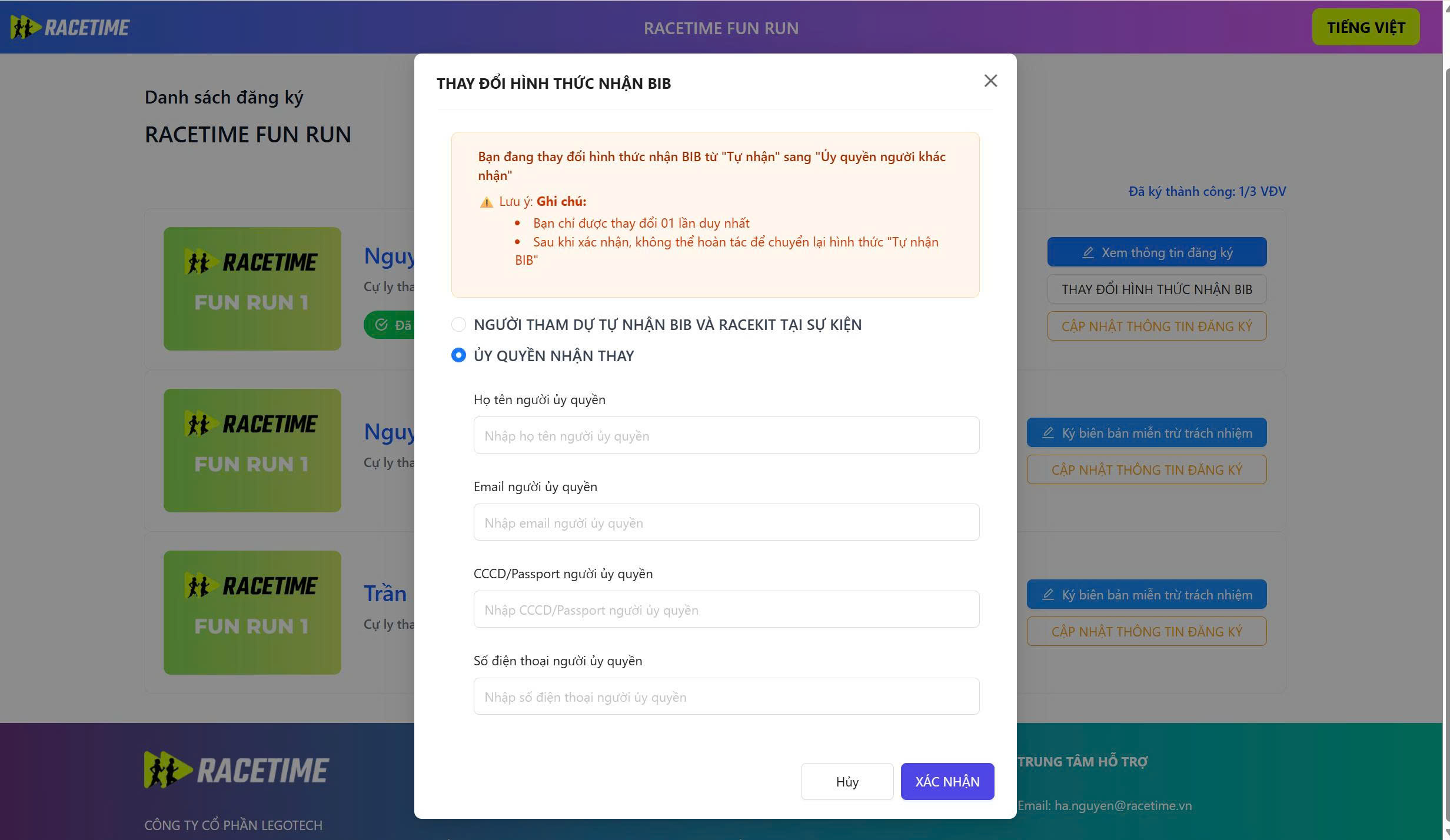
Sau khi uỷ quyền thành công, người được ủy quyền sẽ nhận được mail thông báo được uỷ quyền nhận bib
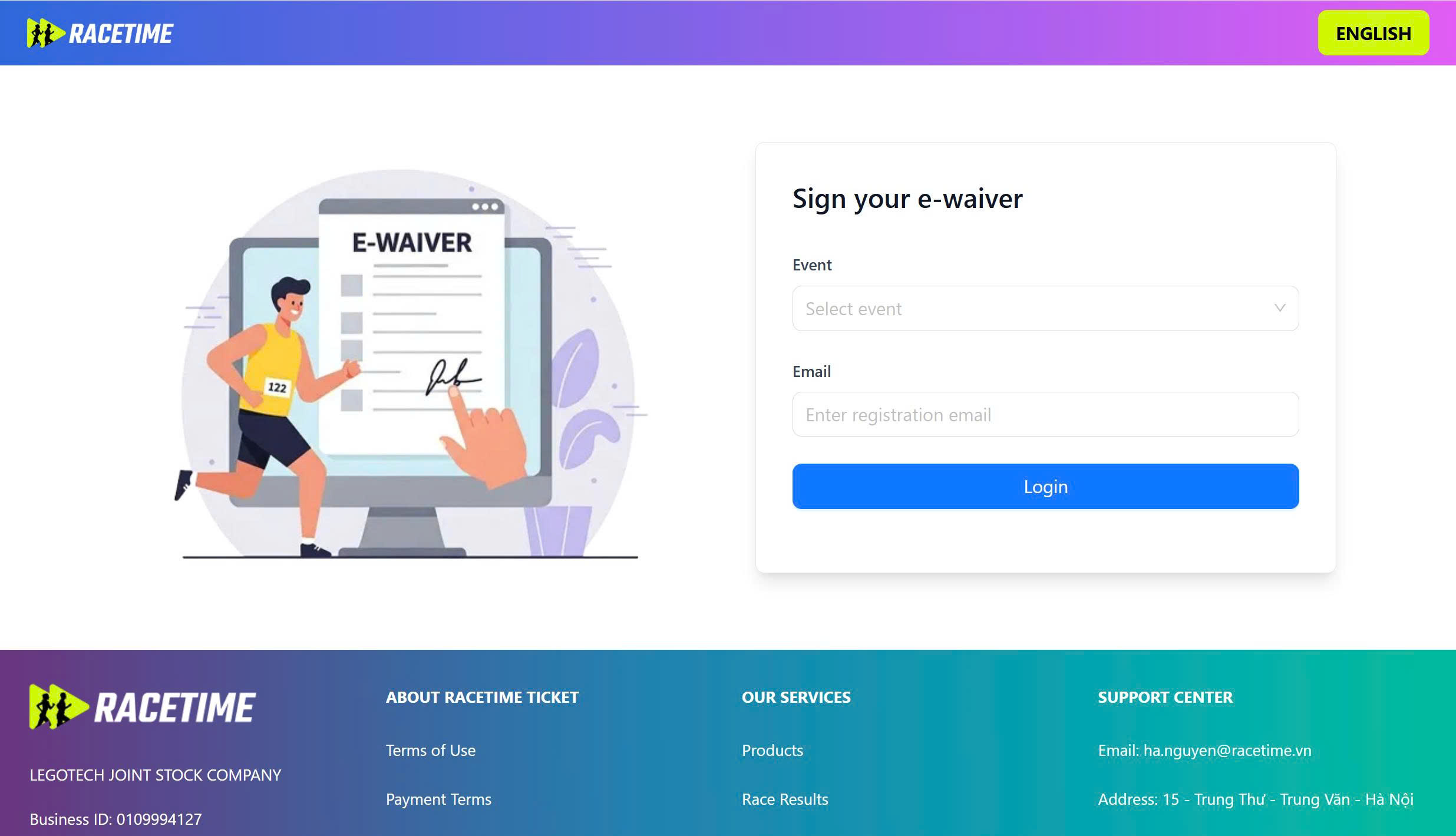
Step 1: Access the link “https://ewaiver.racetime.vn”
Select the event, enter the email address used for registration, and click "Login."
The OTP code will be sent to the registered email within a few minutes
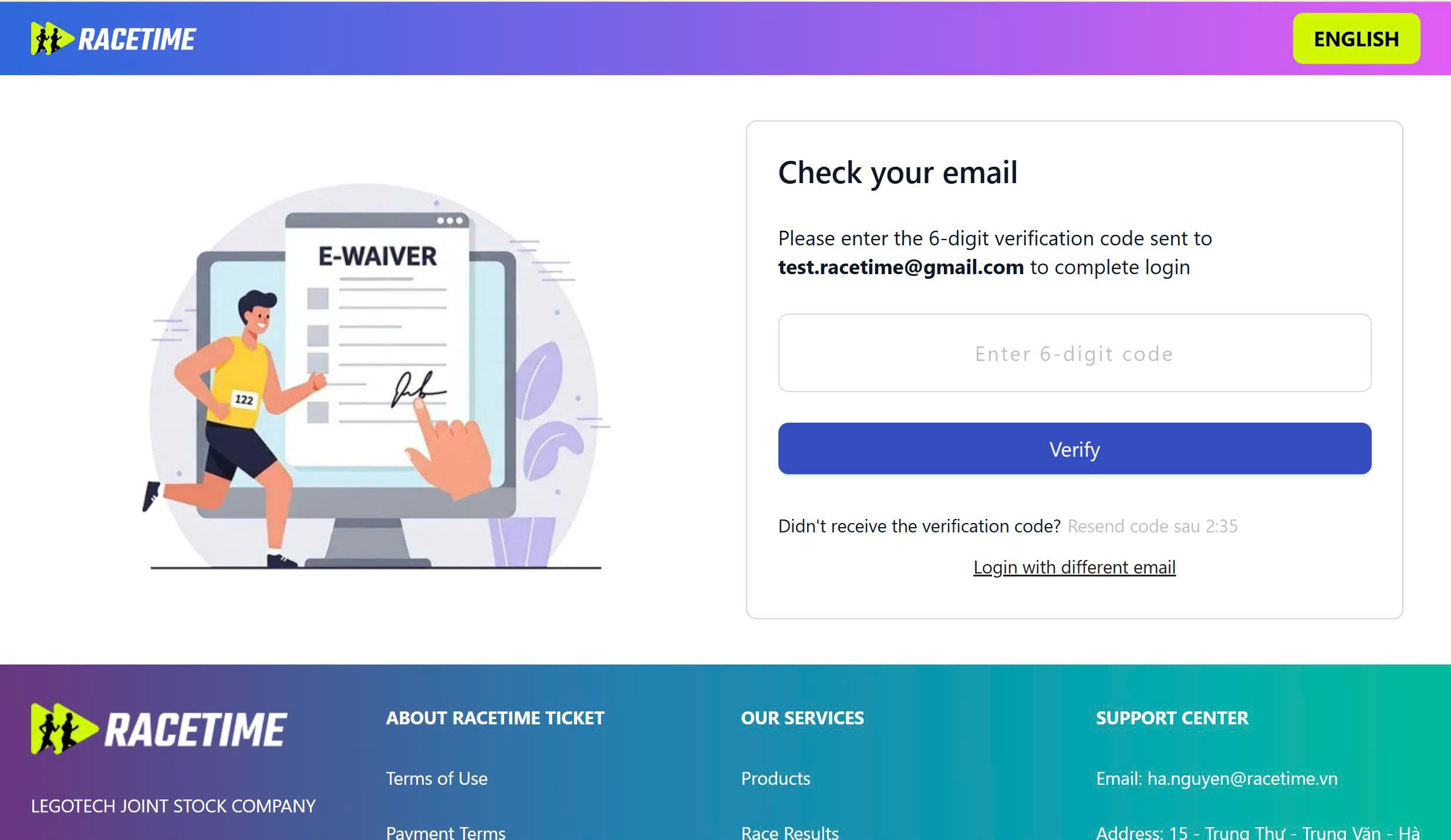
Step 2: Check your email, enter the received OTP code into the system and click “Verify”
Note: The OTP code is valid for 5 minutes, after 5 minutes if the OTP has not been verified, you can click "Resend" to receive a new OTP code
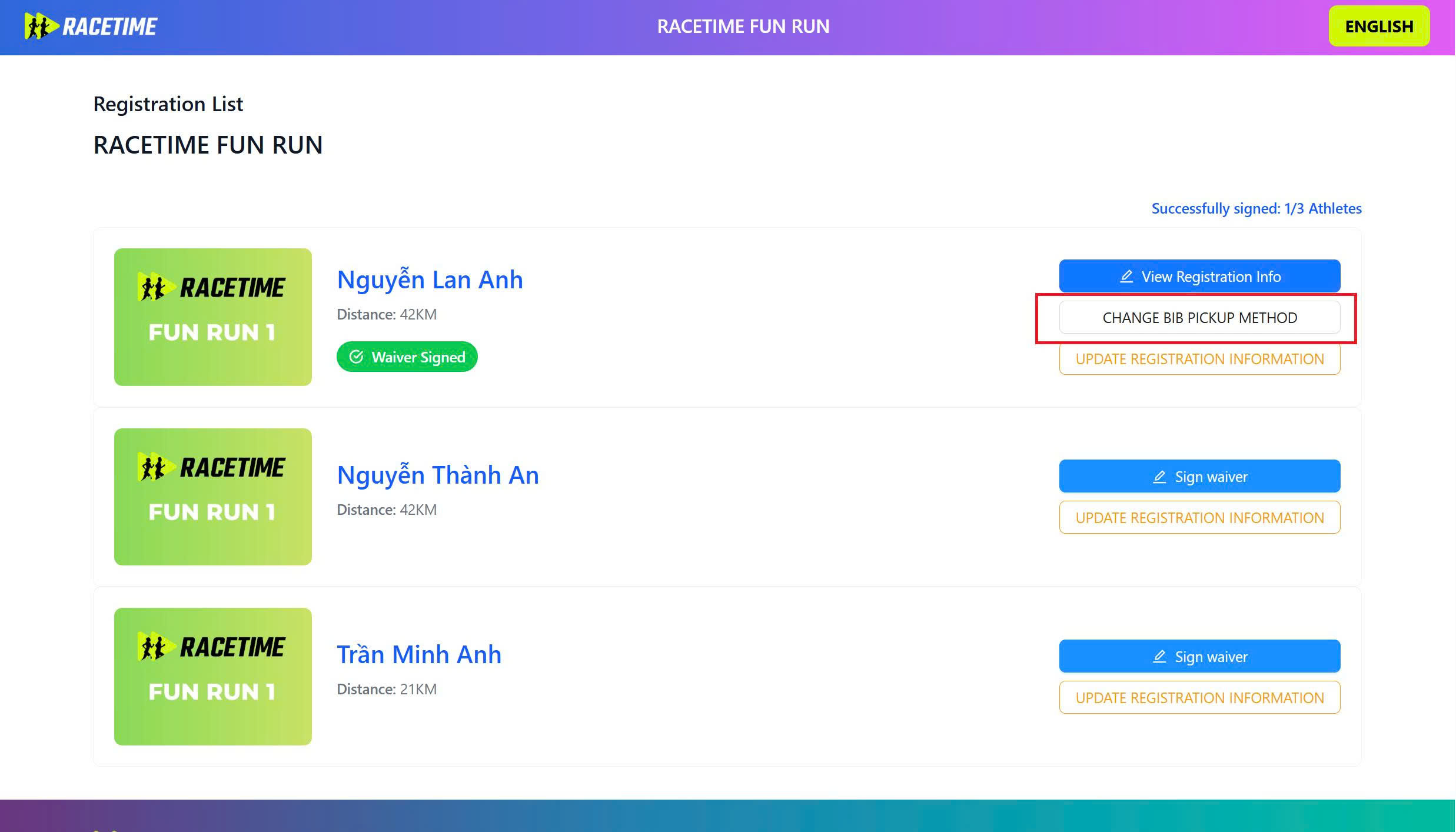
Step 3: After successfully logging in, the system displays a list of registered tickets
(Click on “CHANGE BIB PICKUP METHOD”, the system displays a popup screen allowing you to change the form of receiving bib
(In case an email registers multiple tickets in the event, the screen will display the corresponding number of tickets)
Step 4: On the popup screen, click "Authorize other to receive"
Then enter the information of the authorized person and click the "Done" button
Note: The system only allows changing from "Self-receive" to "Authorize to receive on behalf of"
After successful authorization, the authorized person will receive an email notification that they are authorized to receive the bib.